Dimonoff | SCMS
The network
Controls and monitors connected streetlights and sensors, detects the fault and raises the alarm.
See Dimonoff | SCMSDimonoff | SCMS-FS
Dimonoff | SCMS-FS is a field service and asset lifecycle platform: one operational chain from field audit and deployment to commissioning, maintenance, routing and complete asset history. It complements Dimonoff | SCMS and reaches well beyond street lighting, to any public works, utility, facilities or contractor team that installs and maintains physical assets.
Early access
Available now to a limited number of early-adopter organizations, ahead of general availability. Demonstrations on request.
Field programs are split between survey files, planning tools, contractor systems, telemetry portals, asset registers, work order applications and routing products. Each system does its job. The cost appears between them: serial numbers re-entered after installation, alarms copied into work orders, crews dispatched without parts, and asset histories split across incompatible records.
Audit, network design, deployment capacity and material demand become separate exercises that drift apart before the first truck moves.
Field events arrive without context, so dispatchers have to reconstruct the asset, the priority, the required trade and the material list.
Travel, duplicate truck rolls, shortages and manual reconciliation continue every year, long after the capital project is closed.
One chain of custody
In SCMS-FS, a planned point becomes an asset when the installer commissions the real device in the field. From that moment, the same identity carries through the register, telemetry, work orders and repair history.
Import the poles, fixtures and devices already in the field.
Draw gateway zones and plan the work by effort.
Crews follow a stable, numbered queue.
The asset is born here
The installer records the real serial number at the asset.
Telemetry and alarms reach the same record.
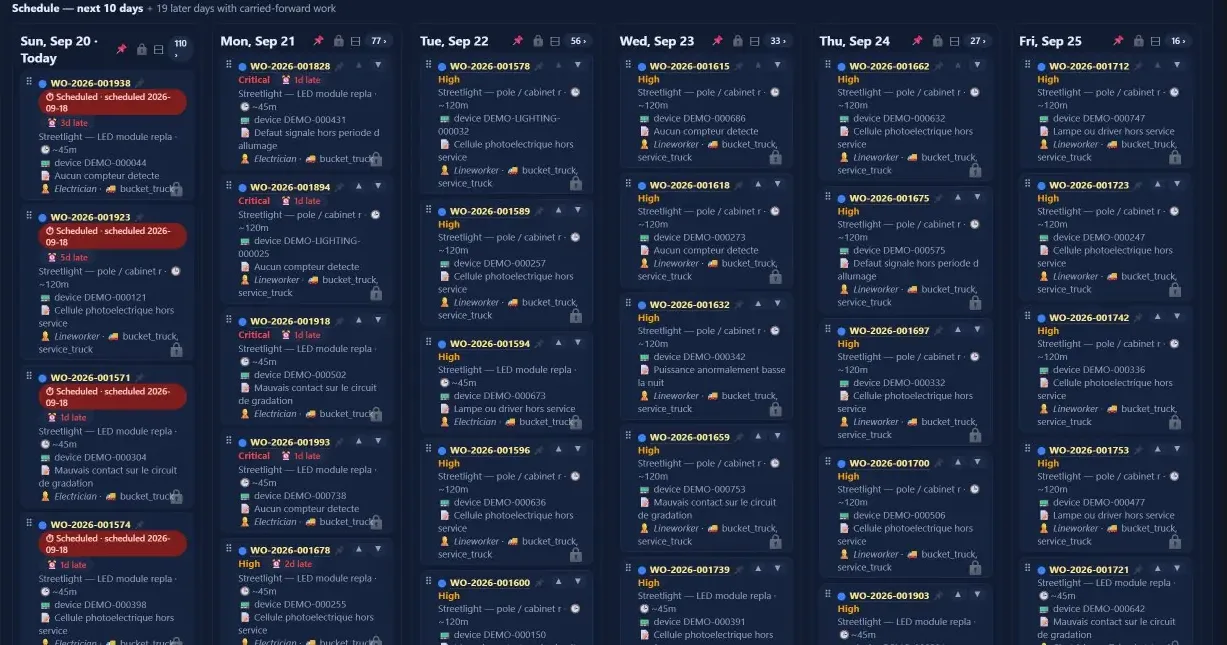
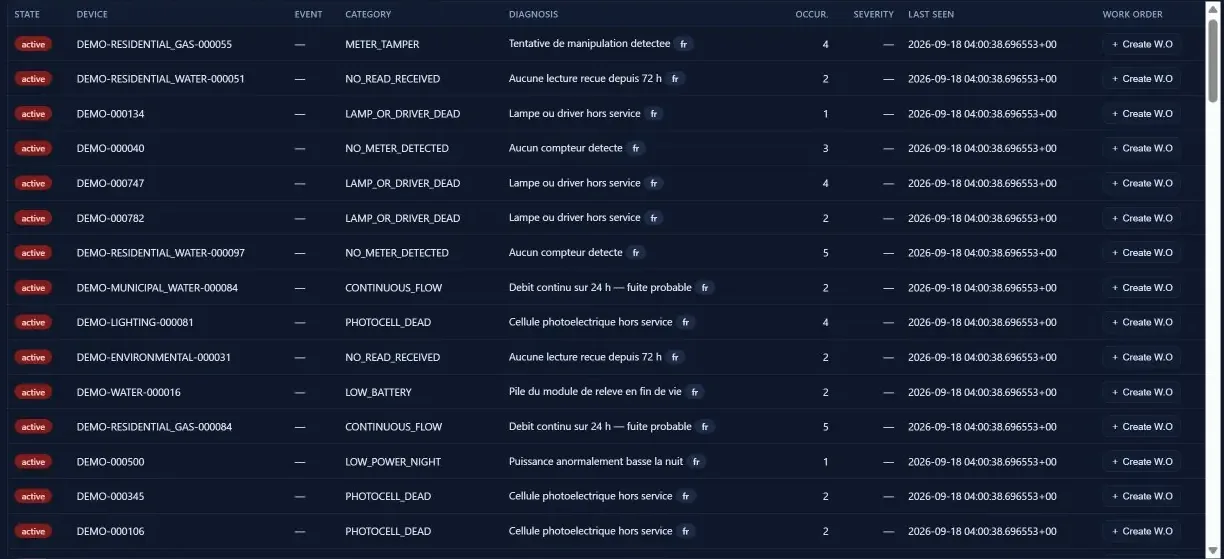
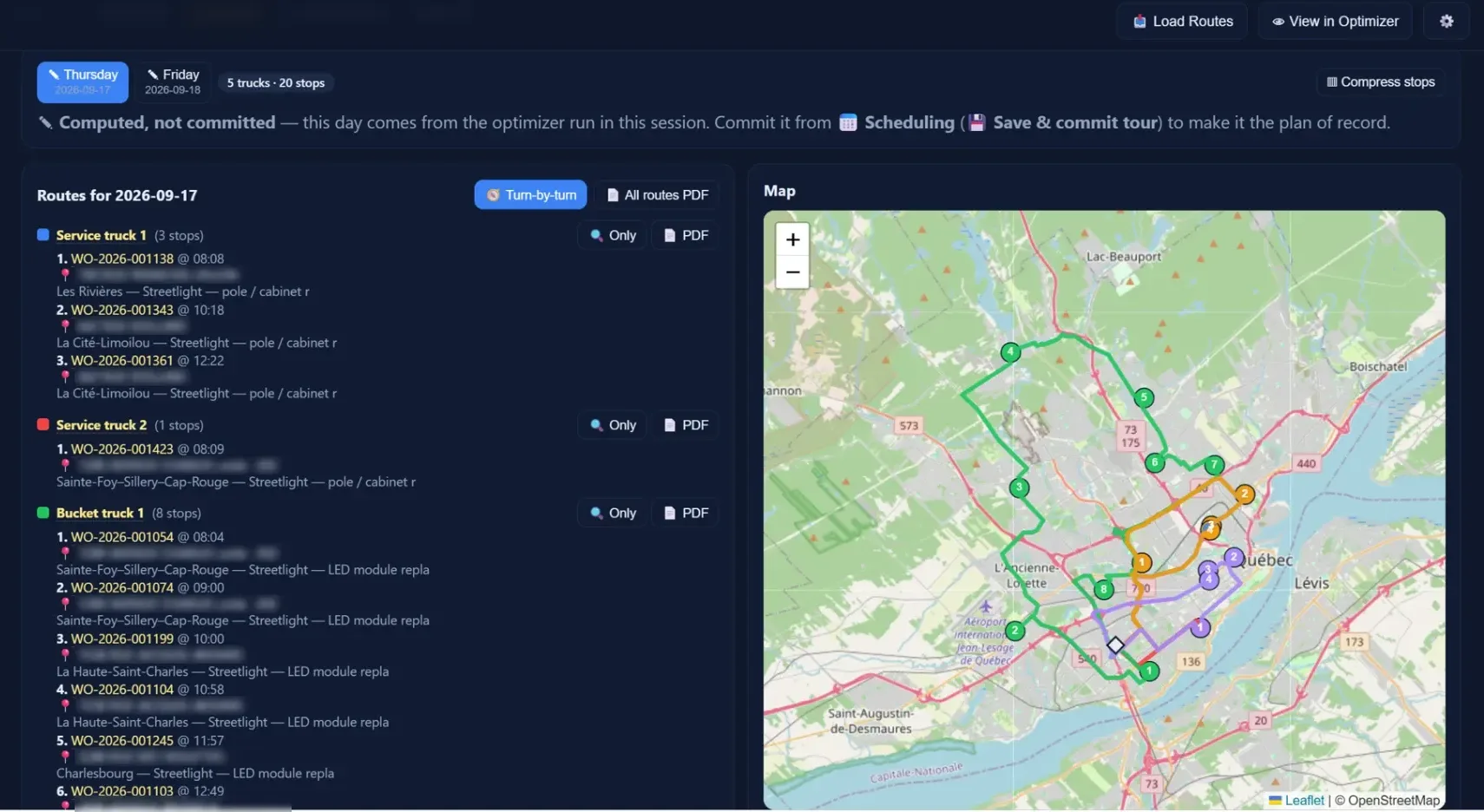
Alarms become scheduled, routed, accountable work.
Every service event sharpens repair and replacement decisions.
One asset. One history. One platform.
Dimonoff | SCMS monitors and controls the lighting network, detects faults and raises the alarm. SCMS-FS carries that alarm through to the finished repair, and does the same for water, traffic, parking, environmental and utility assets.
Dimonoff | SCMS
Controls and monitors connected streetlights and sensors, detects the fault and raises the alarm.
See Dimonoff | SCMSDimonoff | SCMS-FS
Plans the deployment, keeps the asset register, turns the alarm into scheduled, routed work and records the result against the asset. If the asset already has open work, a new alarm escalates that case instead of sending a second crew.
Assets
Teams
The platform
Each application reads and writes the same record, so nothing is keyed in twice between the survey and the repair.
01 · Plan
Plan the deployment before crews absorb the risk.
Starts from the customer’s audit, designs gateway zones, models effort, divides the territory into practical crew work, freezes a stable sequence and tracks field execution through commissioning.
02 · Register
The register everything else reads.
The master registry of accounts and assets. Categories set visibility and operating scope; asset types define the thing itself, its default priority and whether telemetry is expected.
03 · Act
Turn a field condition into accountable work.
Brings alarms, job templates, priorities, trades, technicians, vehicles, materials and target dates together in one work order.
04 · Oversee
See the state of operations without rebuilding the numbers.
Dashboards, server-side reports, maps and a shared activity journal show open work, critical cases, overdue jobs, unplanned work, active problems and material exposure.
Installers App
Brings each crew its assigned queue, captures exceptions and records the device installed at the physical asset, so the identifier is captured once, where it can be verified.
Field App
Gives maintenance and repair technicians their daily assignments, navigation, asset information, inspection forms and material tracking.
Operational control
Field operations need two different decisions. SCMS-FS keeps them separate, then connects them.
Over a program’s life, software costs little next to the assets, the energy and the labour, yet it shapes how each of those is spent. The model below puts a value on five of those levers.
Illustrative five-year model
2.45×
identified value versus modeled software cost
For a 50,000-point city model, the documented value levers total $1.30 million against $0.53 million of software and onboarding over five years.
Illustrative model only. Prices, currency, labour rates, failure rates and local tariffs must be replaced with the municipality’s validated inputs before procurement use.
| Modeled value lever | Five-year value |
|---|---|
| Gateway design and fewer gatewaysZones drawn on the real territory, covering the same points with fewer gateways | $0.27M |
| Correct head count and avoided late ordersMaterial ordered by head, including multi-head poles | $0.25M |
| Effort-based deployment planningCrews planned by minutes of work, for fewer installation days and lower contractor costs | $0.46M |
| Maintenance route optimizationLess travel, less overtime and more jobs completed per day | $0.19M |
| Avoided duplicate truck rollsA new alarm on an asset with open work escalates the case rather than sending a second crew | $0.12M |
| Total identified value | $1.30M |
Figures reproduce the documented SCMS model, rounded as presented; the total may differ by $0.01M because the displayed lines are rounded. This is a transparent scenario, not a guaranteed customer result.
The project ends. The asset remains. SCMS-FS preserves the operational truth between the two.
Dimonoff | SCMS-FS is a field service and asset lifecycle management platform. Four applications (Deployment Field Ops, Accounts & Assets, Work Order Management and the Console) and two field apps share one asset record, from the first field audit and commissioning through maintenance, scheduling, routing and repair history.
SCMS monitors and controls the connected lighting network and detects faults. SCMS-FS manages the field work around it: it turns an alarm into prioritized, scheduled and routed work, and records the outcome against the asset. It is not limited to lighting: it is built for water, traffic, parking, environmental and utility assets, and for any organization whose crews install and maintain them.
SCMS-FS is available in early access to a limited number of organizations, ahead of general availability; no general-availability date has been announced. The early-access package includes the four applications, the two field apps, and scheduling and fleet routing with the Optimizer routing engine. Organizations planning a deployment or a maintenance program can book a demonstration built around their own territory.
Bring a sample asset or pole file, your operating assumptions and a representative week of work. The demonstration shows how SCMS-FS structures deployment, asset records, scheduling and routing around your own field reality.
Ask me anything about Dimonoff: specifications, FAQ, products, deployments. I only answer from what's already published on this site.
For a quote, a technical review, or anything I can't find published, the Dimonoff team takes over.
Common questions
Thinking…
I'm having trouble answering right now. Try again in a moment, or contact Dimonoff directly.
Your questions are sent to a third-party AI service to generate an answer grounded in this site's published content, and are recorded, along with this assistant's answers, to help us improve this site.